







Exploring AWS Integrations with Microsoft Power Automate

Introduction
Microsoft Power Automate is a cloud-based workflow automation platform for automating recurring tasks & business processes. Every “flow” in Power Automate consists of a trigger & one of more actions to take when the flow is triggered. Power Automate currently supports Amazon S3 & SQS as triggers. Specifically, a flow can:
- Watch for updates to an S3 file/location
- Poll for new messages arriving in an SQS queue
Although limited in its integration with AWS, Power Automate is a great workflow automation solution if:
- You’re looking for a low-code automation solution with native integration with Microsoft products like Outlook & Teams
- You’re already subscribed to Microsoft 365
- Your team lacks the technical know-how to custom build such integrations in other platforms like AWS Step Functions or Azure Logic Apps
Build a Flow
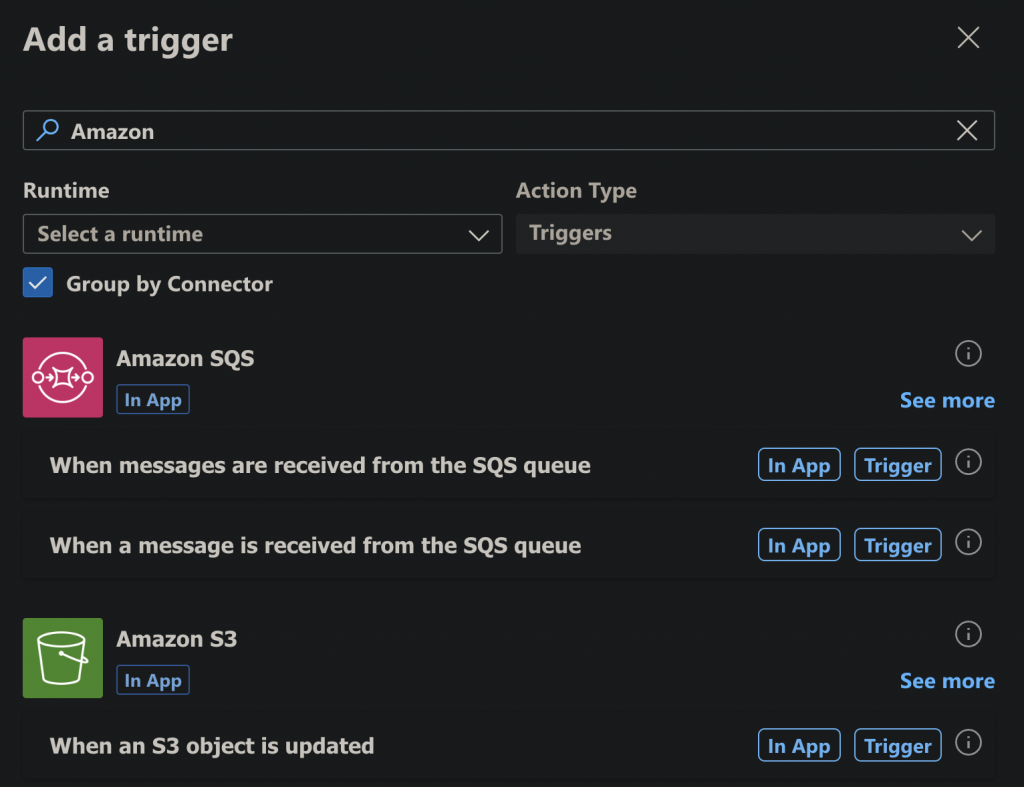
To begin, visit https://make.powerautomate.com > My flows > New flow > Automated cloud flow. Skip the trigger selection to enter the flow designer. Click “Add a trigger” & search for Amazon:
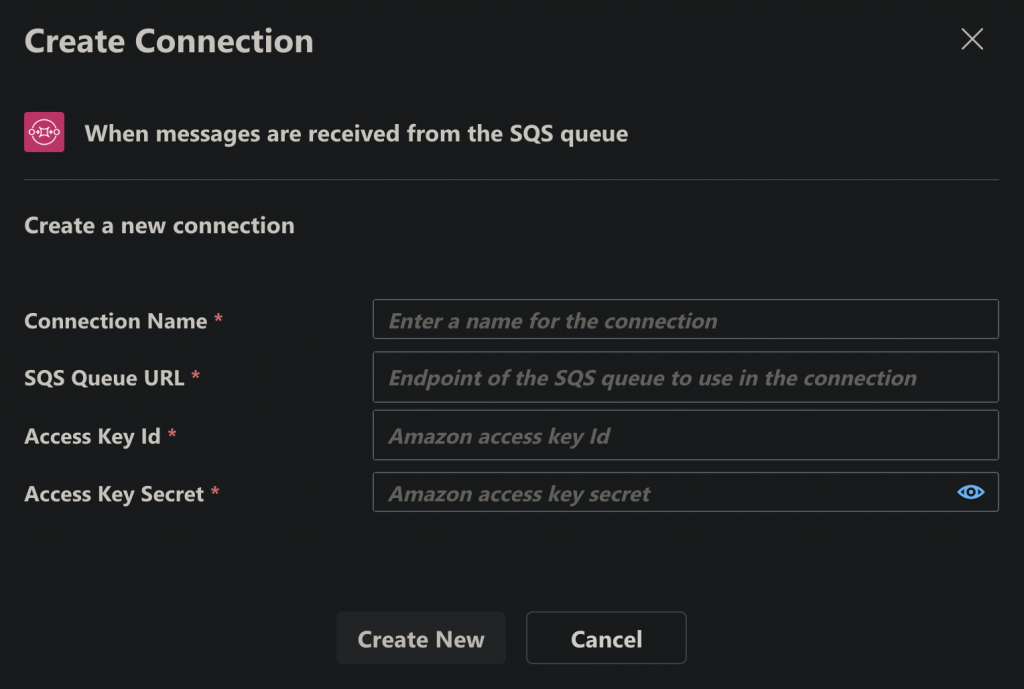
Both S3 & SQS triggers are configured using an access key ID & secret pair. Additionally, SQS takes the queue endpoint to watch:
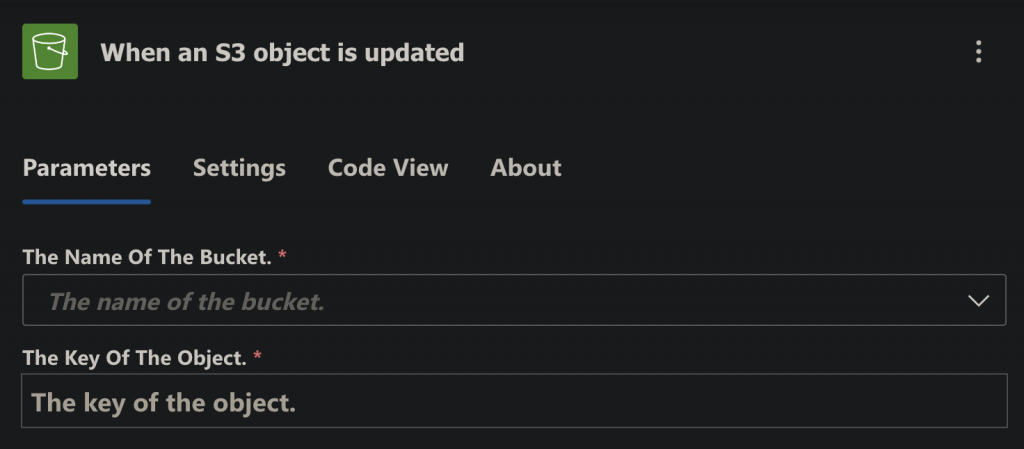
While the S3 trigger needs the object path to watch:
The SQS trigger lets you configure batch size of the messages to fetch, visibility timeout, wait timeout, etc.
Native Integration
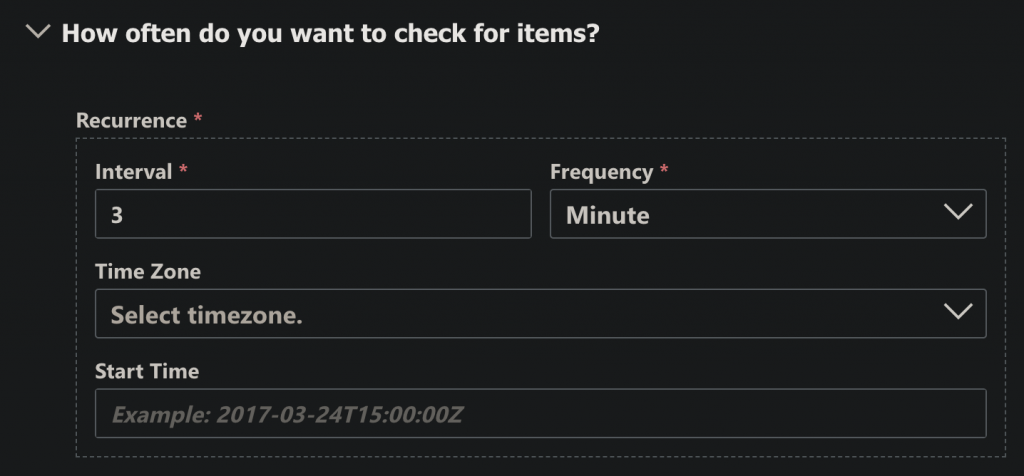
Note that the S3 & SQS triggers in Power Automate are not AWS-native integrations. So the S3 trigger is not watching for S3 object events & the SQS trigger is not subscribing to the queue. Both poll their respective sources on a customizable interval ranging from a few seconds to months:
AWS Actions in Power Automate
S3 & SQS are also available as actions in Power Automate, alongside Redshift. Specifically, flows can:
- List S3 buckets
- Get S3 object content
- Send a message to an SQS queue
- Delete a message from an SQS queue
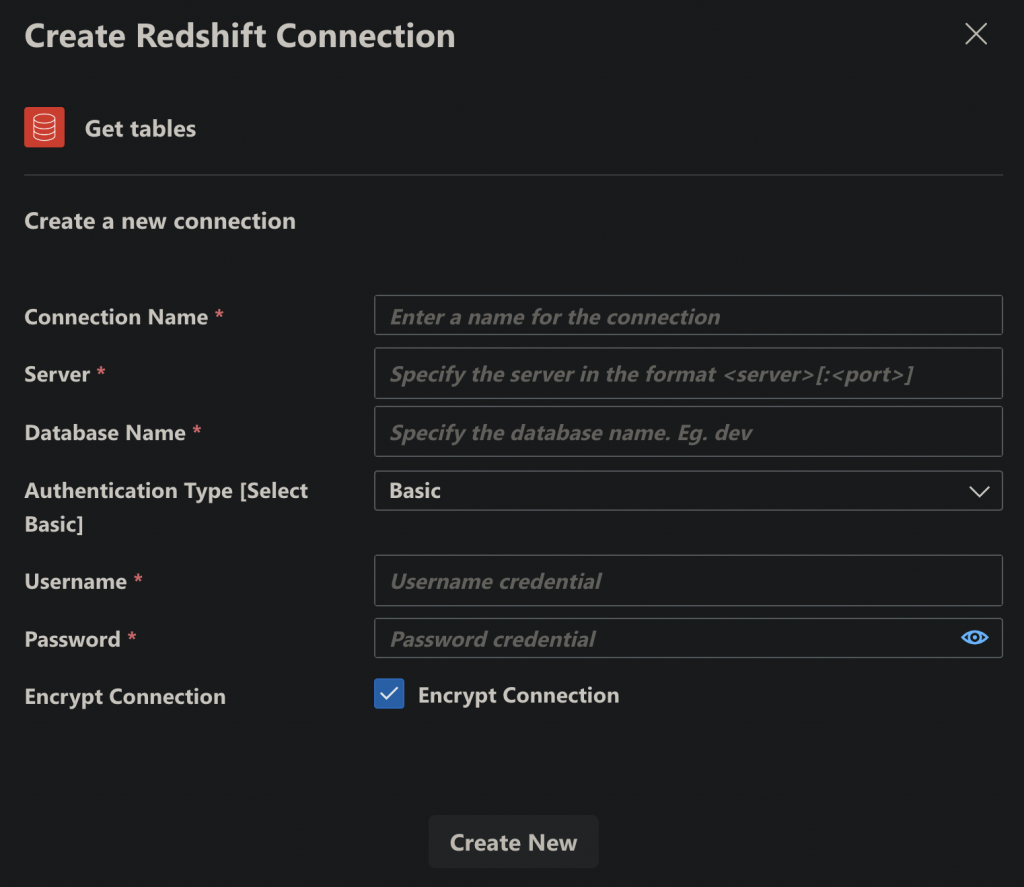
- Get tables & rows from a Redshift database:
Conclusion
This article explored AWS integrations available in Microsoft Power Automate & how to build & configure flows using them. Thanks to the thousands of ready-to-use actions in Power Automate like Azure DevOps, Excel, Teams, Outlook, OneDrive, Power BI & many more third-party actions, Power Automate is a great choice for quickly automating repetitive tasks. With the recent addition of the Copilot AI assistant to Power Automate, it’s even easier to build flows with simple English instructions.
 Linkedin